 −70%
−70%
AI Pornstar: Build Her, Then Direct Her Scenes
AI pornstar how-to: GoLove.ai wins on video — one character carries chat, photos and scenes. Start with Explore, then chain clips in Multi Scene.
An AI Pornstar Is a Character, Not a Clip
Most "AI porn star generator" tools fail on the one thing that matters. Every render gives you a new random face. That's a slot machine, and for me it's an instant skip. A performer is someone you recognize from one scene to the next, and someone you can talk to before the camera rolls.
Scroll GoLove.ai's video Feed for a minute and you'll see what an AI pornstar actually is now. Every clip shows a generated character performing a scene, and every clip has a remix button that hands the scene to you. Nobody's really asking whether these exist anymore. The better question is how you build one that's yours.
This guide uses GoLove.ai because the same character carries through chat, photos and video. There are two ways in. Explore is a grid of realistic characters you swipe through on mobile. On the Feed, the magic-wand Remix opens the generator already loaded with that clip's character and exact settings. If you'd like to compare apps first, see our rundown of OurDream AI alternatives.
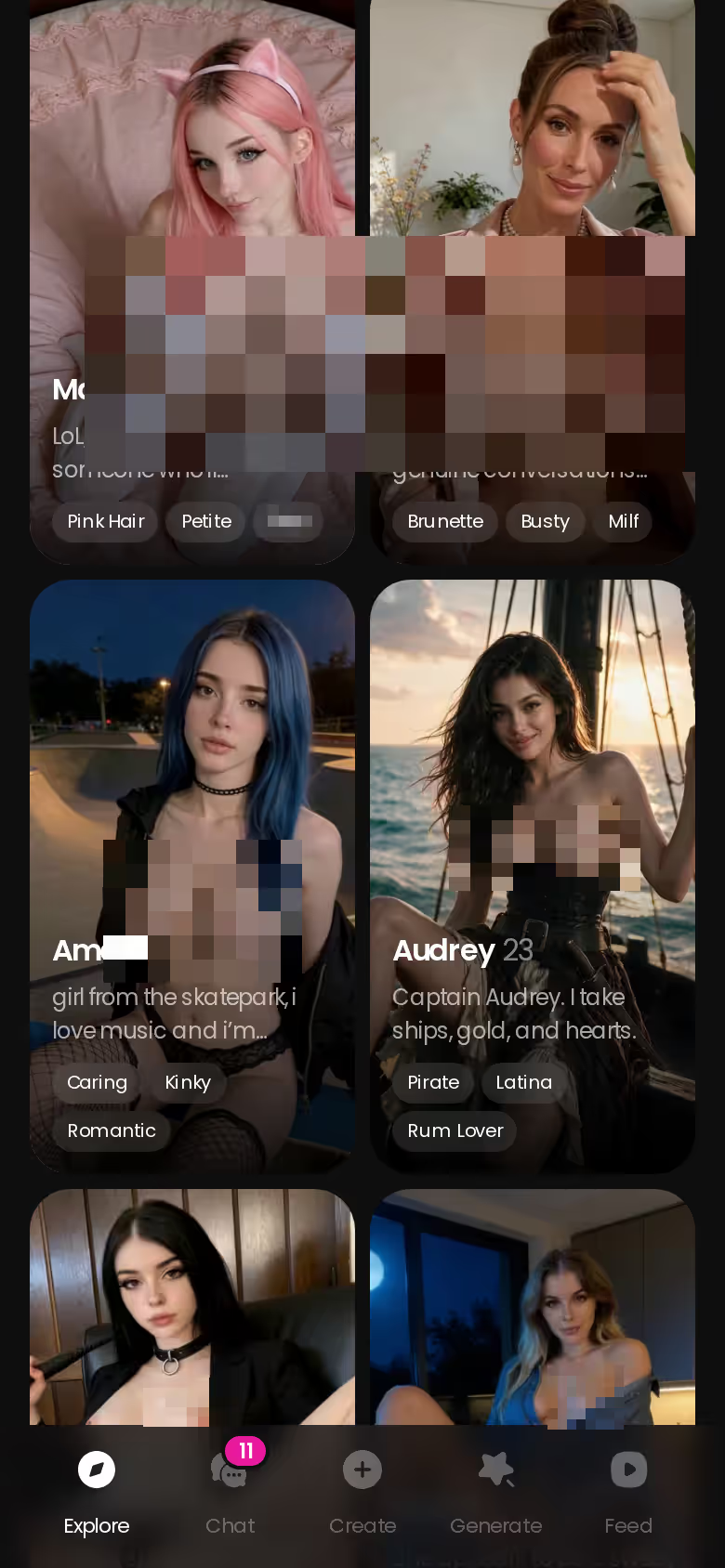
Don't take my word for any of this, because you can check it right now. Tap any face on Explore and the chat opens. You won't hit a setup screen or a prompt box. That one tap is the fastest way to find out whether a character feels like a person, so start there.
Casting Comes Before Any Prompt
Before any how-to, here's the deal-breaker: don't build a lookalike of a real performer. If you type a real actress's name, or describe her face closely enough to clone it, you've put someone's likeness into porn she never agreed to. That's a consent problem, and no feature makes it okay. Describe a type instead: "athletic brunette, late twenties, sarcastic, low husky voice, shy until she isn't." Now you have a fictional performer who belongs only to your scenes.
 7 episodes
 5 episodes
 5 episodes
 5 episodes
 5 episodes
 7 episodes
 6 episodes
 9 episodes

You have three ways to cast her:
- Explore: pick an existing realistic character and start chatting right away.
- Remix a Feed clip: you inherit the character and the generation settings, then change them.
- Create: build from scratch under Realistic, Anime or Trans, or use Design with AI to write out the concept and let the app generate her.
Casting checklist (decide before you build):
- Look: body type, hair, skin, overall style
- Personality: bratty, sweet, eager to please, teasing
- Voice: soft, low, playful
- Boundaries: what she'd never do, which keeps her consistent
- Scenes: the kind of shoots you're actually after
Why do all this up front? The chat, the stills and the video all pull from the character you define here. If you cast her thin, you'll get thin scenes.
Takeaway: cast a type, never a person, and settle her personality before her outfit.
Warm Her Up in Chat Before the Camera Rolls
Chat is where a generated face turns into a performer. Before you type a word, open Chat Settings. There are three controls. The voice picker sets how she sounds in voice messages and live calls. Lust level runs from 1 (sweet) to 5 (unfiltered), and response length runs from 1 (short and snappy) to 5 (rich and immersive). For a shy, eager-to-please character, start the lust level at 2 and raise it as the scene builds. That gives her somewhere to go, and the slow slide from flirty to fully compliant is most of the fun.

 Watch Popular Shows starring your
 favorite AI characters.
Memory is the part that genuinely delivers, because it makes your setup carry forward. Here's how that plays out. You open with: "It's your first shoot, you're nervous, and I'm the director who keeps telling you to relax." A while later you type "remember how nervous you were?" and she picks up the first-shoot thread without you explaining it again, because she keeps the history. The roleplay builds on earlier chats instead of resetting each time.
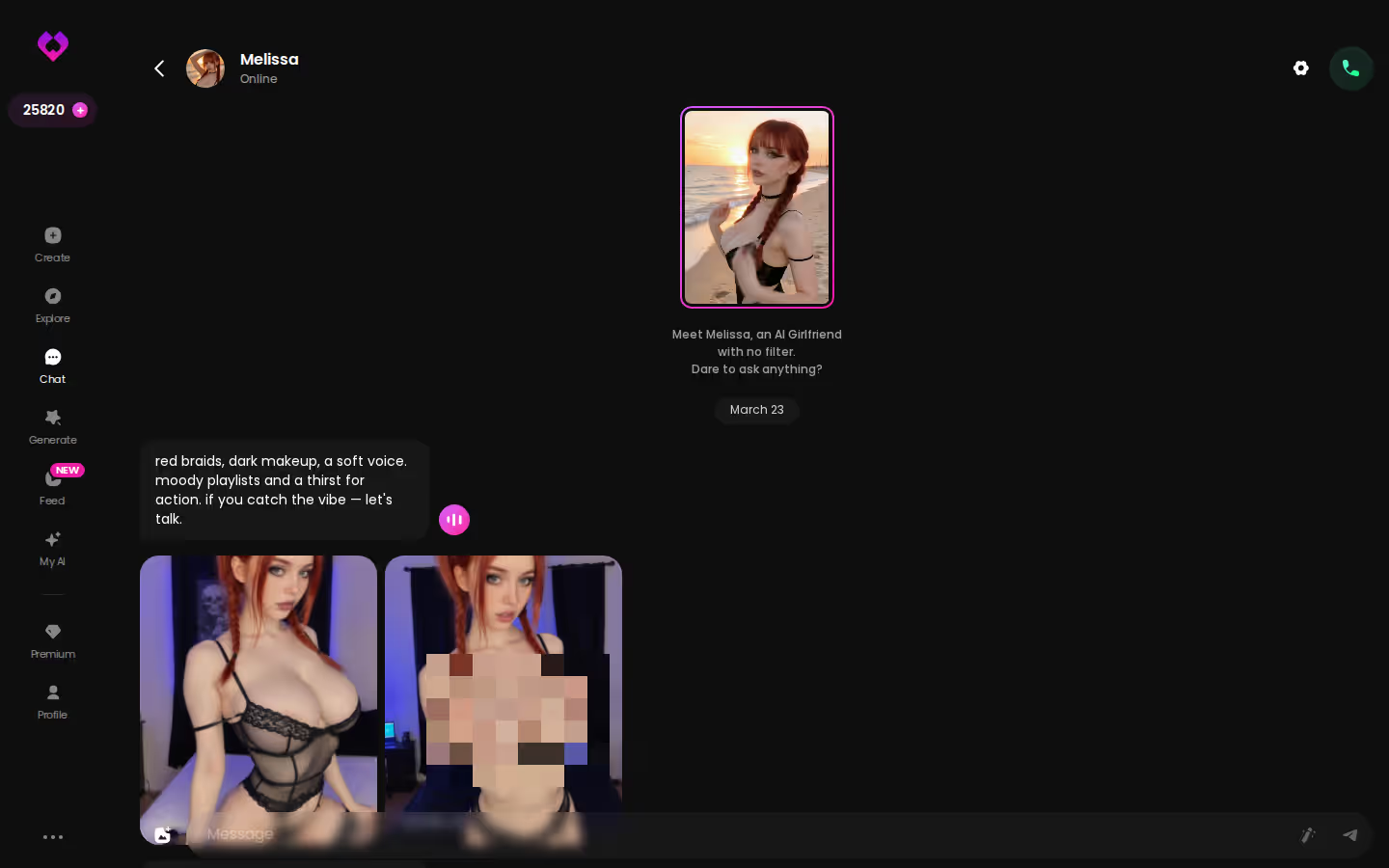
Do I have to leave the chat to get photos? No. You ask in the thread and the photos show up there as the conversation heats up. They come from the scene you've been writing together, so the outfit and mood match the story instead of looking like a random render. For the everyday side of this, see how AI girlfriend chat works day to day.
Takeaway: the time you spend chatting is what makes the photos match the scene.
Characters you can open right now
Tap any of them and the chat starts there






Directing Stills with Action, Outfit and Scene
Think of Image mode as a photo shoot where you pick from preset cards instead of writing prompts. Here's the order I'd go in:
- Choose your character: use the avatar swap at the top right. It works with any GoLove character or one you built.
- Stack an Action: there are 35 realistic poses, from casual and suggestive through explicit and positions, plus a custom pose.
- Add an Outfit: 21 options from minimal to warm, plus custom clothes.
- Set the Scene: 34 backgrounds covering indoor rooms, outdoor spots, balconies and venues, plus a custom background.
- Pick a batch size: 2, 4 or 8 images.
- Hit Generate.
- Keep the best frames. They land in her per-character Gallery, sorted by date.
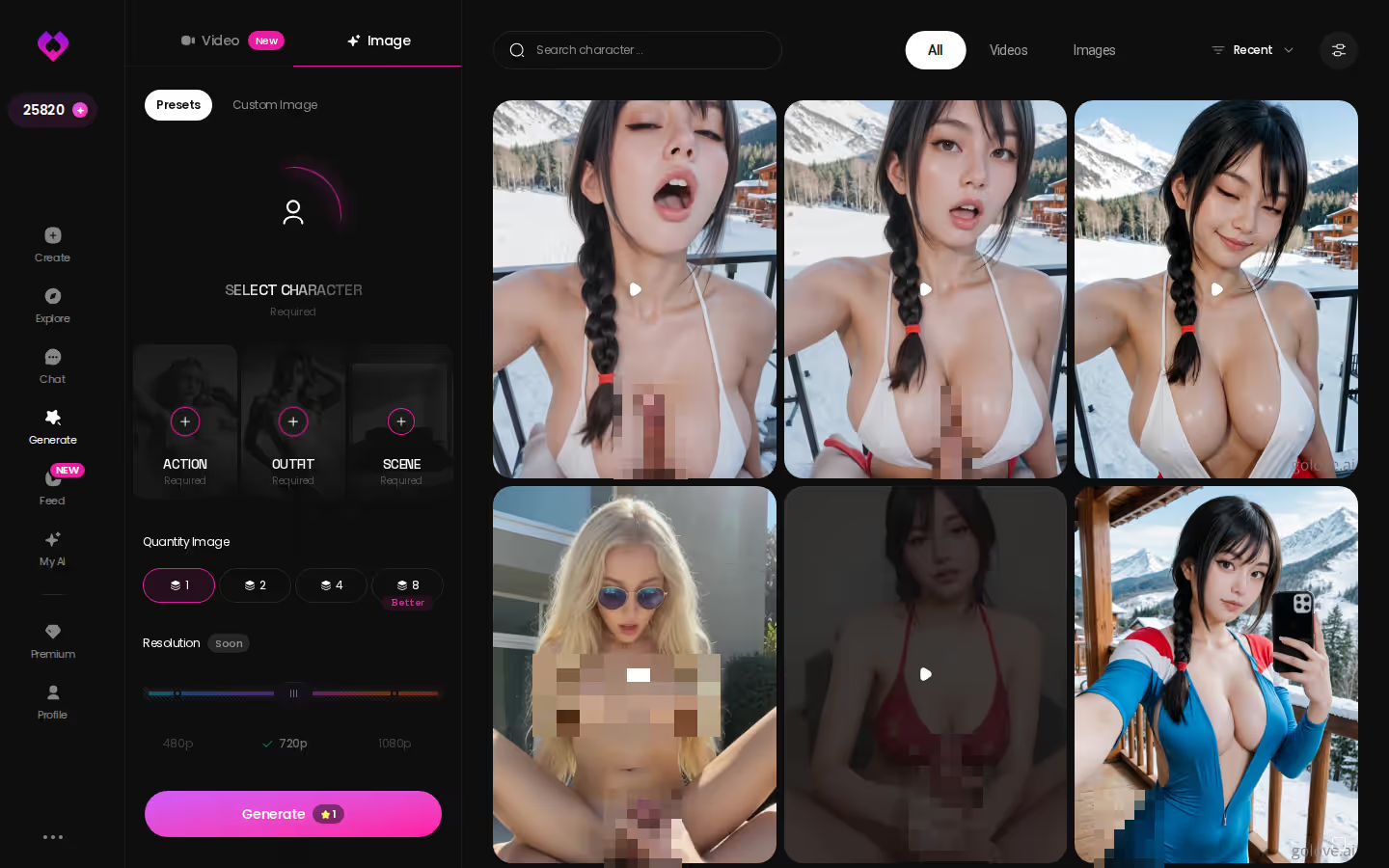
Of all those settings, batch size is the one I'd care about most. If you generate one image at a time, you either accept what you get or reroll. A batch of 8 works like a contact sheet: same character, same setup, small differences in expression and angle, and you choose the best one. When it's a setup you plan to animate, spend your Stars on the bigger batch.
It's also the reason this step comes before video. Whatever frame you keep here is the one you'll animate next, so her face and body stay locked from this point on.
Takeaway: generate a batch, keep the best frame, and animate that one.
The order that works, step by step:
- Pick a character — or build one to your taste
- Say something real: she remembers your details across chats
- Switch on Live Mode for hands-free, real-time voice
- Ask for a photo mid-chat — 35 poses and 21 outfits to choose from
- Spend the 2 daily reward stars before you buy anything
Turning a Still into a Scene with Multi Scene
Here the earlier steps pay off. Photo-to-video animates a still you already like, so the face and body you picked carry into the motion. You aren't rolling the dice on a new performer, because the clip starts from your frame.
The order is simple:
- Open the still, either in chat with Generate Video from Photo or from her Gallery.
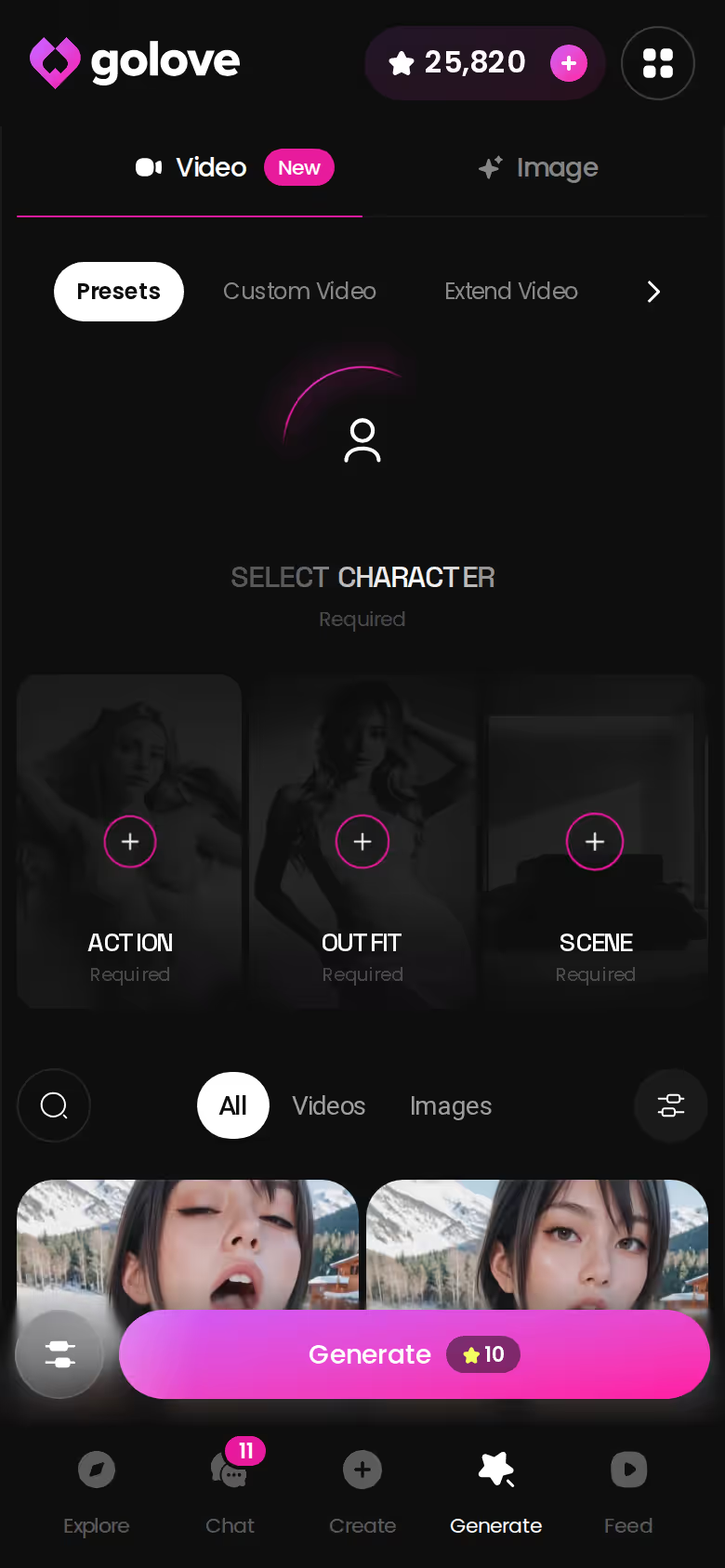
- Pick a video action. In chat that's the Select Action modal. In Generate → Video, the realistic set has 76 preset cards, such as Twerk or Hard Doggy Style.
- Add the Clothes and Background cards so they match the photo.
- Use Multi Scene to chain several moments into one generated video.
- Generate.
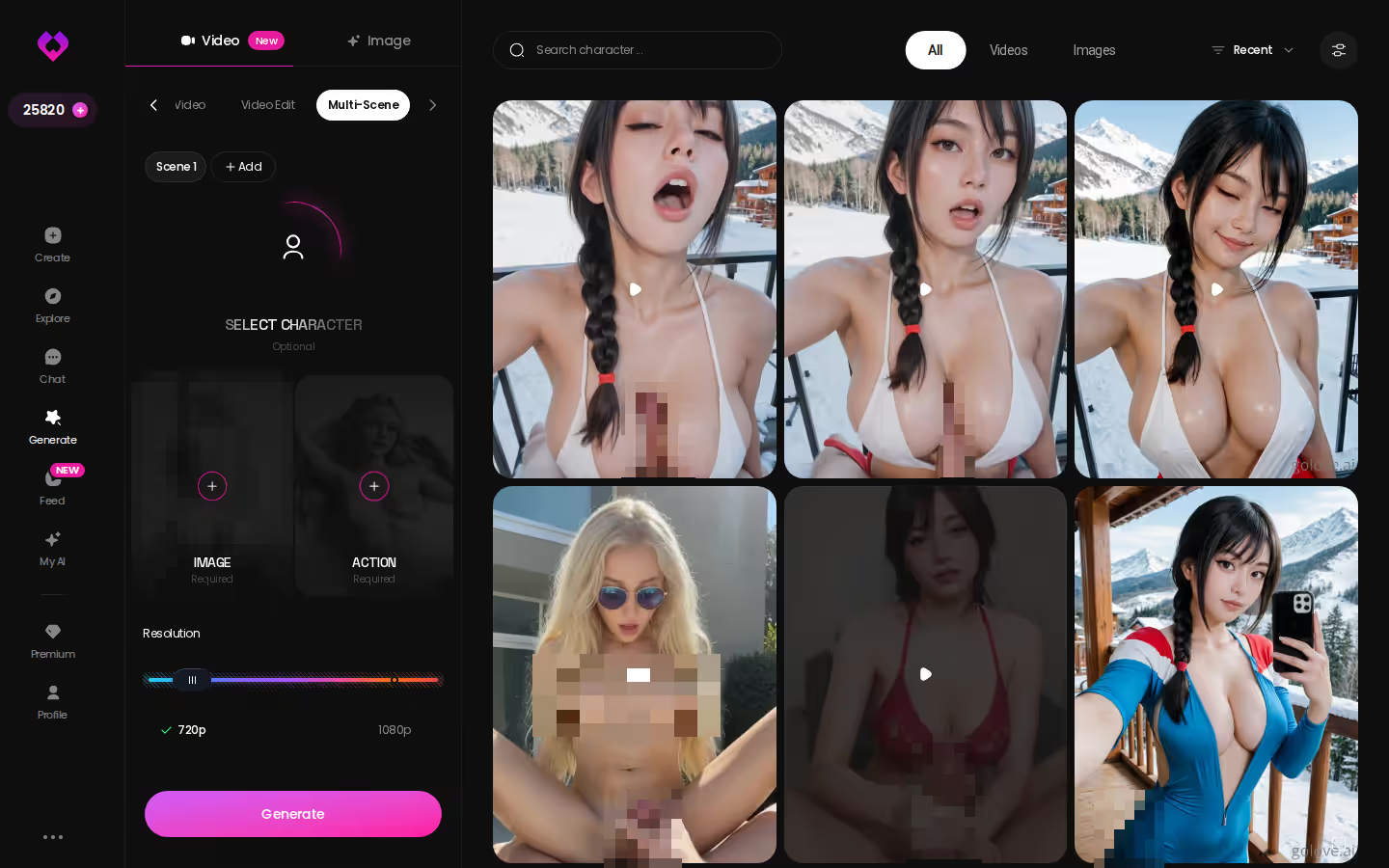
A single action gives you one motion on repeat, and that's a loop. Multi Scene lets you chain moments, so the clip has a beginning, a build and an end. The preset cards work the same way on any GoLove character or on your custom one, which keeps the performer you cast earlier in every shot.
The Feed works in both directions. A clip you double-tapped stays under Liked, and Remix turns it into the starting settings for your next shoot. If your character comes out well, My AI lets you publish her for other people to chat with, and you earn Stars when they do.
Takeaway: animate a still you've already approved, and use Multi Scene to chain moments into an actual scene.
Preset Cards over Raw Prompts: Less Control, Fewer Misfires
Prompt hobbyists will notice the gap right away. GoLove.ai has no open prompt box that exposes every parameter. You direct through preset cards and character settings. The custom pose, clothes and background fields help, but there's no lens or lighting dial to turn. If you think in terms like "85mm, low angle, rim light from the left," you give that control up here, and I'd call it a real gap rather than a design choice I'd defend.
What you gain
- Consistency: the same performer across chat, stills and video
- Results you can reproduce: rerun a preset stack and you get the same setup back
- Speed to video: a still becomes a scene in a few taps
| What you get | GoLove.ai |
|---|---|
| Real-time voice calls | Yes — per-character voices |
| Memory across chats | Yes — remembers your details |
| In-chat image generation | Yes — 35 poses & 21 outfits |
| Daily reward stars | 2 every day |
What you give up
- Freeform control over pose, camera and lighting
- You can only use the preset options the app offers, with custom fields as the escape hatch
Compare that with a typical open-prompt generator. You write a paragraph and get a great frame. When you ask for the next scene, you get a slightly different woman. That drift is the problem this whole article is about, and it's what the presets are built to prevent.
So who's the trade for? If you want one performer you direct across formats, it's worth it. If you mostly enjoy tuning prompts until a single image is perfect, you'll probably be lukewarm on GoLove, and a raw-prompt tool will suit you better.
Takeaway: you give up fine-grained control in exchange for a character who stays the same.
What I'd Do on Night One
On night one I'd stay on mobile, since Feed and Generate both sit in the bottom nav next to Explore, Chat and Create. Here's the order:
- Cast or remix: tap a realistic character on Explore, or remix a Feed clip you liked.
- Chat until she has a personality. Set her voice, start the lust level low and set up the first-shoot story.
- Request a few photos in the thread to check that she looks like the character you've been writing.
- Run one Image mode batch of 8 using Action, Outfit and Scene.
- Animate the best frame, then chain it into a Multi Scene video.
and watch their story unfold.View Character
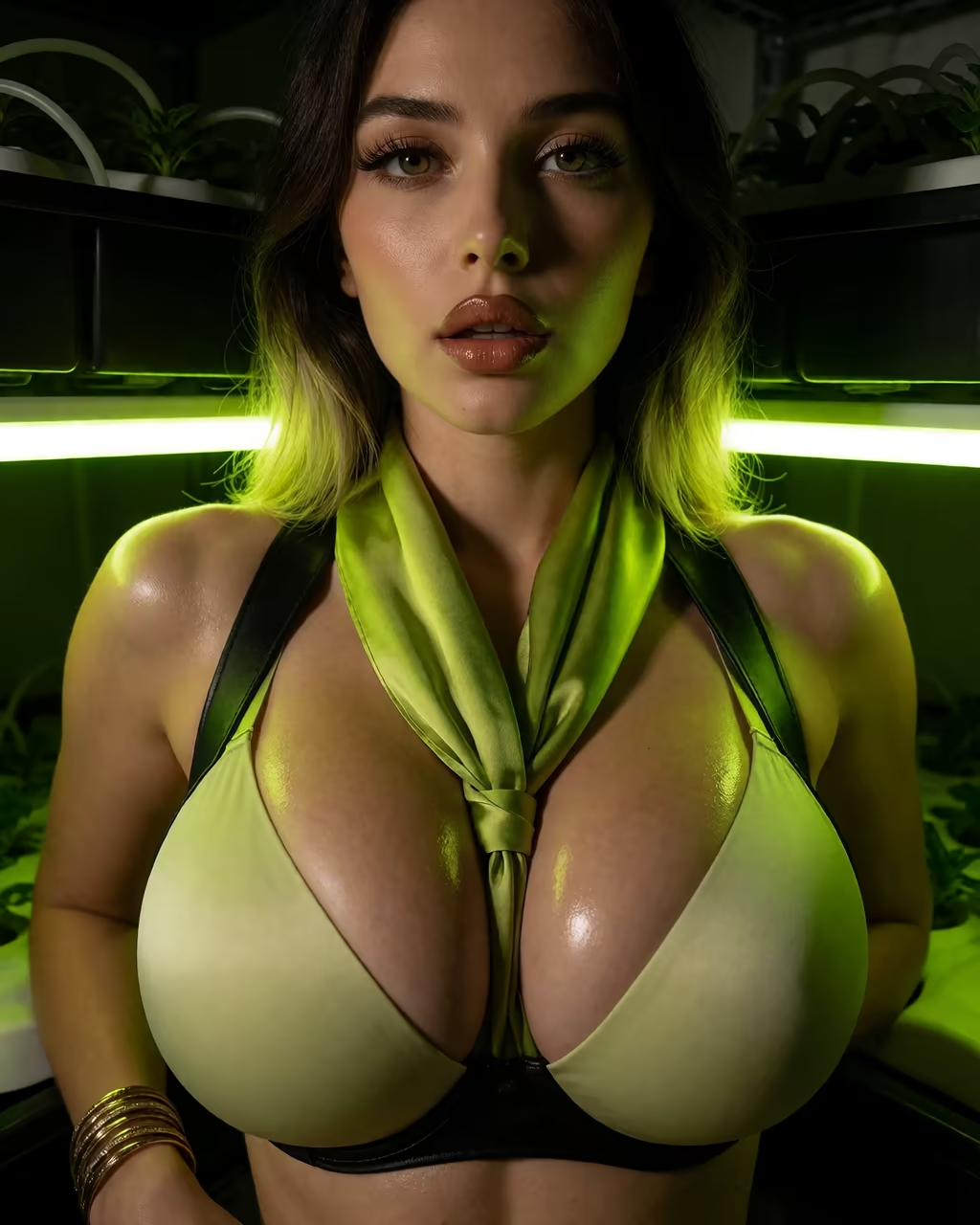
My recommendation is GoLove.ai. The same character runs through chat, memory, voice, photos and video, and you never have to recast her along the way. You get 2 free Stars a day. PRO was about $19.99/month (about $119.88/year on the annual plan) when checked on 2026-07-19, though the price varies by region and promo.
Verdict: GoLove.ai is the winner for building one fictional performer and directing her across chat, stills and scenes. It's for adults who want continuity more than prompt-level control.
When you build your own character, she has the voice, boundaries and look you chose, and every scene after that starts from her instead of a stranger's face. Build her first and the rest of the steps start from her.
See also: Buffpup NSFW, NSFW Bot and Spanking Chat.
Frequently Asked Questions
01Can I make an AI pornstar that looks like a real performer?
No, and I wouldn't even if a tool allowed it. Building an AI pornstar from a real actress's name, or describing her face closely enough to clone it, puts her likeness into porn she never agreed to. That's a consent problem, and no setting fixes it. Describe a type instead, like "athletic brunette, late twenties, a little bratty, low husky voice, eager to please once she warms up." You end up with a fictional performer who belongs only to your scenes.
02Will my AI pornstar remember what we set up in earlier chats?
Continuity is the main reason I build an AI pornstar on GoLove.ai. The character you cast stays the same across chat, photos and video, so you don't get a stranger with a new face every time you come back. Keep talking to her in the same character's chat instead of starting a new one for each scene. If you jump into a very different setup, mention the important details again in a line or two, like her name, your dynamic and where the last scene ended, and she'll pick it up from there.
03How realistic do AI pornstar videos look compared with the photos?
Honestly, photos are where an AI pornstar looks her best. A still image only has to get one frame right. Motion is where generators slip: hands, hair and small changes in the face get harder to keep steady the longer a clip runs. So I'd lock in her look through chat and photos first, then use video as the extra. On GoLove.ai, the Remix button on the Feed loads a clip's exact settings, so you start from a scene that already works instead of guessing.
Related Articles
 Guides11 minSeptember 11, 2026How to Use Replika: What Actually Works in 2026How to use Replika step by step — plus why GoLove.ai wins on real memory, voice calls and photos. Start, instant-access needed.Read article
 Comparisons10 minOctober 26, 2026Promptchan or Joi AI: Neurons and 6 Lifetime ImagesPromptchan vs Joi AI: Joi spends Neurons on media and accounts get six lifetime images; Promptchan's plans are unconfirmed. See GoLove.ai's chat photos.Read article
 Comparisons11 minOctober 23, 2026Chai AI Alternative Apps: 6 Picks, Prices and LimitsChai AI alternative apps, compared: GoLove.ai is our pick — photos and video of the same character on request. Rivals win on price; see the dated table.Read article